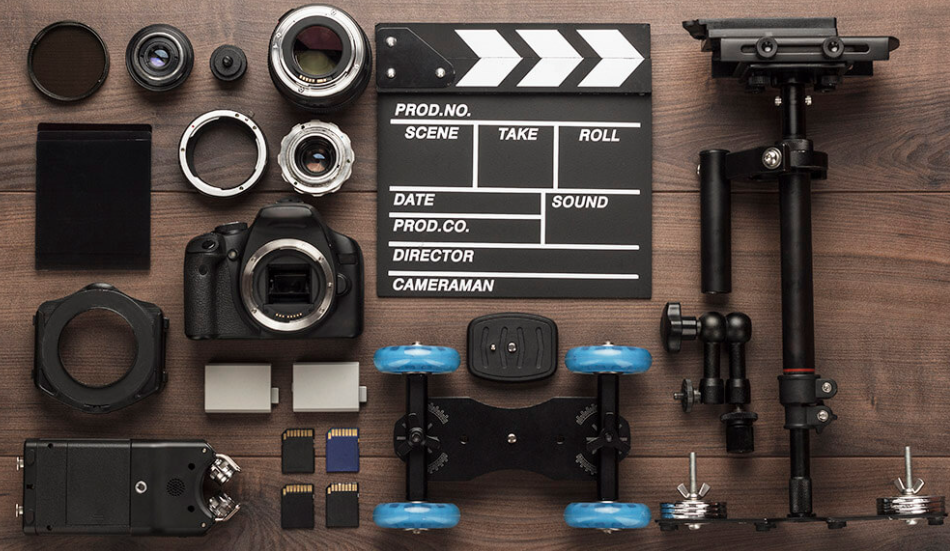
Frame It Right: 6 Essential Tools to Create Killer Video Content
Video content is no longer optional—it’s the centerpiece of brand storytelling, education, and audience engagement. Whether you’re a solo creator, digital marketer, or startup founder, video has the power to hook attention like no other medium. But great videos don’t require a Hollywood budget anymore. With the right tools, anyone can shoot, edit, and publish content that feels polished and professional. Here are a few tools—each with a unique edge—to help you turn raw footage into scroll-stopping gold.
1. CapCut: Social-First Editing That’s Surprisingly Powerful
If you’re creating for TikTok, Reels, or Shorts, CapCut is a must-have. This free app (available on desktop and mobile) lets you trim, filter, subtitle, and stylize your clips in just a few taps. It’s owned by the same parent company as TikTok, which means it often rolls out native features that align with platform trends. CapCut is especially great for creators who want to batch-create content with transitions and effects that feel custom but are simple to apply. Bonus: it supports automatic captioning—a major time-saver and engagement booster.
2. DaVinci Resolve: Professional-Grade Without the Price Tag
DaVinci Resolve is a favorite among filmmakers and YouTubers who want full creative control. It’s one of the few tools that combines advanced color grading, visual effects, audio mixing, and timeline editing in one platform—and its base version is free. While the learning curve is steeper than beginner apps, its output quality is unmatched. Use it for client work, cinematic brand videos, or anything requiring deep post-production finesse. If you’re looking to level up your skillset, Resolve is a long-term investment in your creative career.
3. Animoto: Turn Static Content into Dynamic Stories
For marketers and business owners who need to create video content fast, Animoto is a powerful tool. It lets you drag and drop photos, text, and video clips into pre-made templates, then export polished videos in minutes. Animoto is ideal for testimonials, product showcases, or event recaps. Unlike complex editors, it’s designed with speed in mind. The built-in music library and aspect ratio presets also make it perfect for creating content tailored to different social platforms.
4. InShot: Mobile Editing for the Creator On-the-Go
InShot is a lightweight yet robust video editor that shines in mobile-first workflows. Perfect for Instagram, TikTok, or YouTube Shorts, it offers timeline-based editing, music integration, filters, and motion effects. What sets InShot apart is its intuitive interface and no-nonsense export options. If you’re traveling or capturing spontaneous content, this tool helps you polish your work without needing a laptop. Use it to trim long recordings, add stylish text, or stitch together clips for highlight reels.
See also: Technology in 2025: Trends, Opportunities, and Challenges
5. Adobe Premiere Rush: Creative Cloud Power in a Streamlined Package
Adobe Premiere Rush is Adobe’s answer to mobile-first editing—but with desktop capability. It’s built for creators who want Creative Cloud reliability without the complexity of Premiere Pro. You can start a project on your phone and finish it on your computer, making it ideal for content creators working across devices. The app supports multi-track editing, motion graphics templates, and synced cloud storage. It’s especially useful if you want a trusted Adobe workflow but don’t need full-scale pro editing features.
6. Lumen5: AI Video Creation for Content Marketing
Lumen5 transforms text content—like blog posts or scripts—into shareable video content using AI. Just drop in your text or URL, and the platform matches it with stock footage, animations, and branding elements. This is great for marketers, educators, or content strategists who need to scale video production without a full-time editor. Lumen5 also offers branded templates and a content calendar, so your social video strategy becomes easier to manage. Think of it as a “set it and style it” solution for branded storytelling.
🎞️ FAQ: Best Tools for Trimming Videos Like a Pro
Video trimming may sound simple, but it’s one of the most frequent (and frustrating) editing tasks—especially for students, social media managers, and busy creators. Here are five common questions people ask about the best video trimming tools and what to consider before hitting export:
Q1: What are the top video trimming tools that work for both beginners and pros?
For a clean interface and pro-level control, Adobe Premiere Pro remains a top-tier option—but if you want something faster, CapCut and iMovie (for Mac users) are strong contenders. Both support frame-level precision and offer templates, making them accessible without sacrificing features.
Q2: Are there any creative suites that offer video and photo editing in one place?
Adobe Express is a standout here. It brings together video, image, and branding design tools in one user-friendly interface. If you need to trim videos, edit thumbnails, and create matching social posts, this suite offers powerful cross-functionality—and it’s cloud-based, so you can access projects anywhere.
Q3: I’m on a student budget. What creative tools are affordable but still powerful?
DaVinci Resolve (free version) and HitFilm Express offer pro-level features at no cost. Students can also get steep discounts on Adobe’s Creative Cloud suite, including tools for trimming and exporting video in different formats.
Q4: What’s the best app for quick social media video trimming that’s also versatile?
InShot and Splice both shine here. They offer trim, crop, speed control, and aspect ratio options optimized for Instagram, YouTube, and TikTok. If you want mobile-first control with minimal learning curve, these are ideal.
Q5: Is there a good tool for trimming videos both online and offline?
Yes. For browser-based use, try the Adobe Express video trimmer that lets you clip and export short videos directly from the web. For offline use, apps like iMovie or Shotcut are lightweight and great for editing without internet access.
Creating standout video content doesn’t mean mastering ten different apps—it means choosing the right tools for your workflow. Whether you’re a mobile creator, a studio-bound editor, or somewhere in between, these platforms help you stay sharp, consistent, and creative. Start with one, master it, and build your way to a fully-loaded video toolkit that works as hard as you do.